
Appearance
爬虫
- 在项目中创建爬虫
命令行创建
bash
scrapy genspider <爬虫名称> <域名>

# 示例
scrapy genspider itcast itcast.cn
爬虫文件
- 会自动生成在
spiders目录下itcast.py文件
python
import scrapy

class ItcastSpider(scrapy.Spider):
    # 爬虫名称 唯一标识
    name = "itcast"
    # 允许的域名
	allowed_domains = ["itcast.cn"]
    # 要爬取的url
	start_urls = ["https://itcast.cn"]
	# 解析数据
	def parse(self, response):
		pass
parse()
- 解析数据的方法
- 必须要实现的方法
- 必须要返回一个可迭代对象
python
import scrapy

class ItcastSpider(scrapy.Spider):
	# 唯一标识
	name = "itcast"
	# 允许的域名
	allowed_domains = ["itcast.cn"]
	# 爬取教师列表
	start_urls = ["https://www.itheima.com/teacher.html"]

	# 解析教师列表
	def parse(self, response):
        # 先提取html到本地,方便后续分析
		with open('itcast_teacher.html', 'wb') as f:
			f.write(response.body)
start()
- 生成要发送的初始 Request 对象。
- 在与请求之前执行,准备请求 url 列表
python
import scrapy

class ItcastSpider(scrapy.Spider):
	# 唯一标识
	name = "itcast"
	# 允许的域名
	allowed_domains = ["itcast.cn"]
	# 爬取教师列表
	start_urls = ["https://www.itheima.com/teacher.html"]

    # 准备请求队列
    async def start(self):
        # 此方法会覆盖start_urls的列表
        urls = [
            "https://www.itheima.com/teacher.html?page=1",
            "https://www.itheima.com/teacher.html?page=2",
        ]
        # 遍历请求队列
        for url in urls:
            yield scrapy.Request(url, callback=self.parse)

	# 解析教师列表
	def parse(self, response):
        # 先提取html到本地,方便后续分析
		with open('itcast_teacher.html', 'wb') as f:
			f.write(response.body)
Request
yield Request()创建一个请求对象,并将其添加到请求队列中.url请求地址method请求方法,默认GETbody传 json 参数,POST 请求时使用callback指定回调函数,用于处理响应数据.headers请求头cookies请求 cookiemeta指定元数据,用于传递数据.
元素定位
- 对要提取的数据进行定位
- 创建一个选择器
python
import scrapy
from scrapy import Selector

class ItcastSpider(scrapy.Spider):
	# 唯一标识
	name = "itcast"
	# 允许的域名
	allowed_domains = ["itcast.cn"]
	# 爬取教师列表
	start_urls = ["https://www.itheima.com/teacher.html"]

	# 解析教师列表
	def parse(self, response):
		# 创建一个选择器
		sel = Selector(response = response)
css 选择器
- 通过
css()选择元素 - 通过
::text提取文本 - 通过
::attr(属性名)提取属性值 - 通过
get()获取第一个元素 - 通过
getall()获取所有元素
python
import scrapy
from scrapy import Selector

class ItcastSpider(scrapy.Spider):
	# 唯一标识
	name = "itcast"
	# 允许的域名
	allowed_domains = ["itcast.cn"]
	# 爬取教师列表
	start_urls = ["https://www.itheima.com/teacher.html"]

	# 解析教师列表
	def parse(self, response):
		# 创建一个选择器
		sel = Selector(response = response)
		# css选择器选取数据
		lst1 = sel.css("div.tea_con > div.tea_txt")
		for item in lst1:
			lst2 = item.css("ul > li")
			for item2 in lst2:
                # 提取数据
				avatar = item2.css('img::attr(src)').get()
				name = item2.css(".li_txt>h3::text").get()
				professional = item2.css(".li_txt>h4::text").get()
				description = item2.css(".li_txt>p::text").get()

                # 组装数据 并用yield传递给items>>pipelines
				yield {
					"avatar": avatar,
					"name": name,
					"professional": professional,
					"description": description,
}- 运行爬虫
scrapy crawl itcast -o itcast.csv,并保存 csv 文件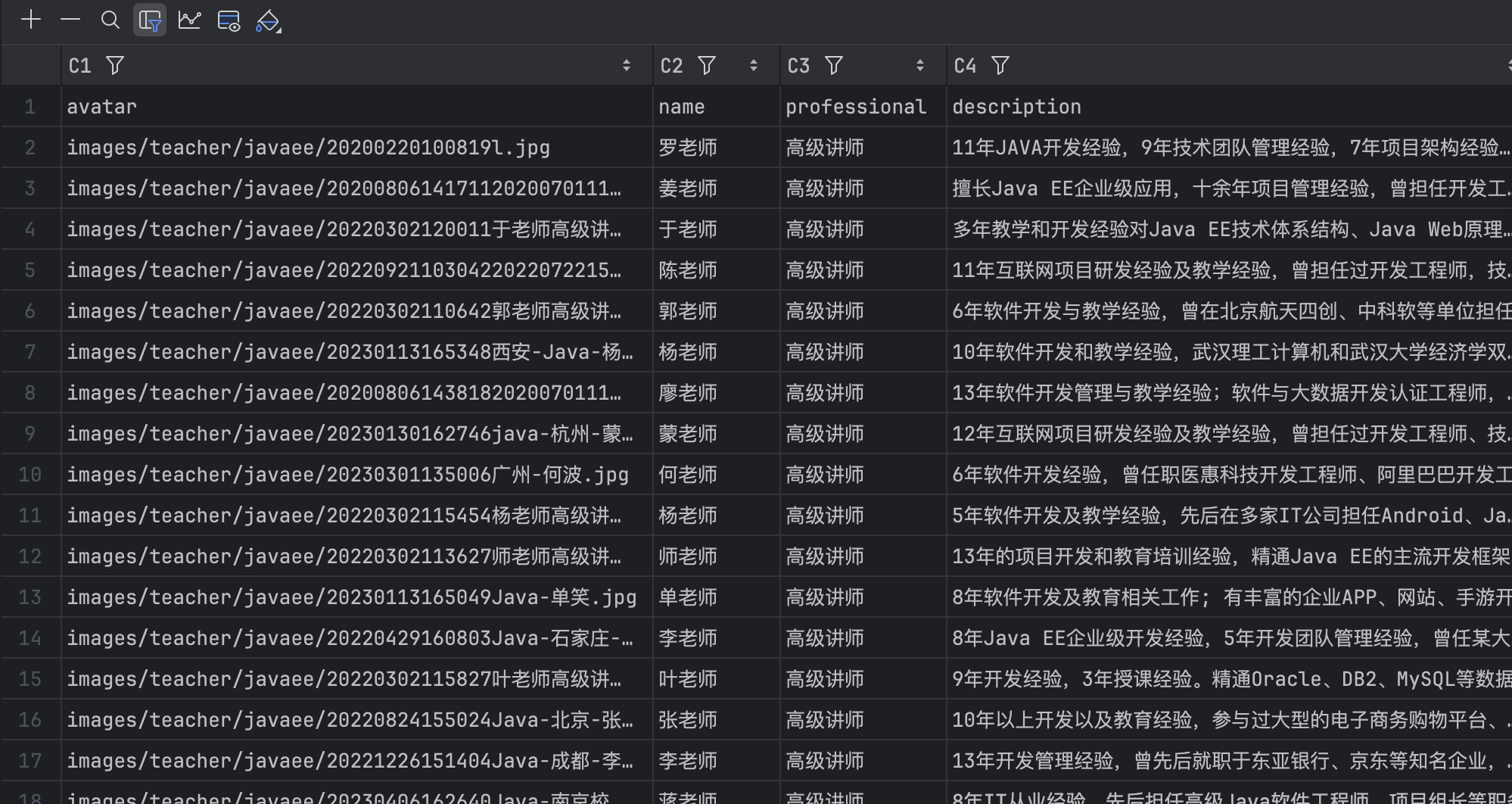
xpath 选择器
- 通过
xpath()选择元素 - 通过
text()提取文本 - 通过
get()获取第一个元素 - 通过
getall()获取所有元素
python
import scrapy
from scrapy import Selector

class ItcastSpider(scrapy.Spider):
	# 唯一标识
	name = "itcast"
	# 允许的域名
	allowed_domains = ["itcast.cn"]
	# 爬取教师列表
	start_urls = ["https://www.itheima.com/teacher.html"]

	# 解析教师列表
	def parse(self, response):
		# 创建一个选择器
		sel = Selector(response = response)
		# xpath选择器选取数据
		lst1 = sel.xpath("//div[contains(@class,'tea_txt')]/ul/li")
		for item in lst1:
			avatar = item.xpath("img/@src").get()
			name = item.xpath("./div[@class='li_txt']/h3/text()").get()
			professional = item.xpath("./div[@class='li_txt']/h4/text()").get()
			description = item.xpath("./div[@class='li_txt']/p/text()").get()

			yield {
				"avatar": avatar,
				"name": name,
				"professional": professional,
				"description": description,
}- 运行爬虫
scrapy crawl itcast -o itcast.json,并保存 json 文件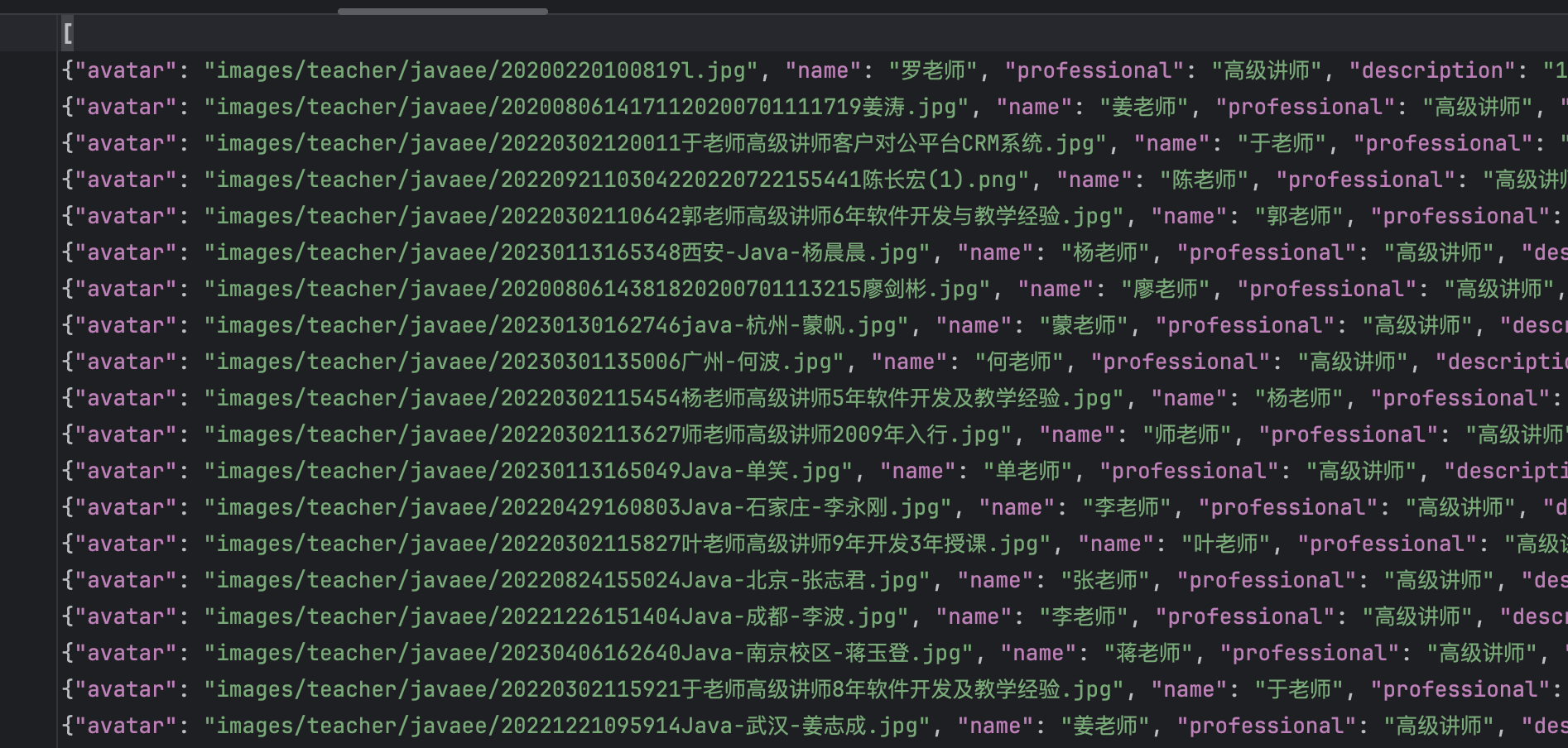
response 属性
response.body响应体response.text响应体的文本response.url响应的 urlresponse.status响应状态码response.headers响应头response.request请求对象response.request.url请求的 urlresponse.request.method请求的方法response.request.headers请求头response.request.body请求体
运行爬虫
bash
scrapy crawl <爬虫名称>

# 示例
scrapy crawl itcast- 参数说明
- o输出文件 可以为json,csv等-- nolog不输出日志